Jacen's Rants
Unboxing the 8BitDo Retro Keyboard
August 13, 2026
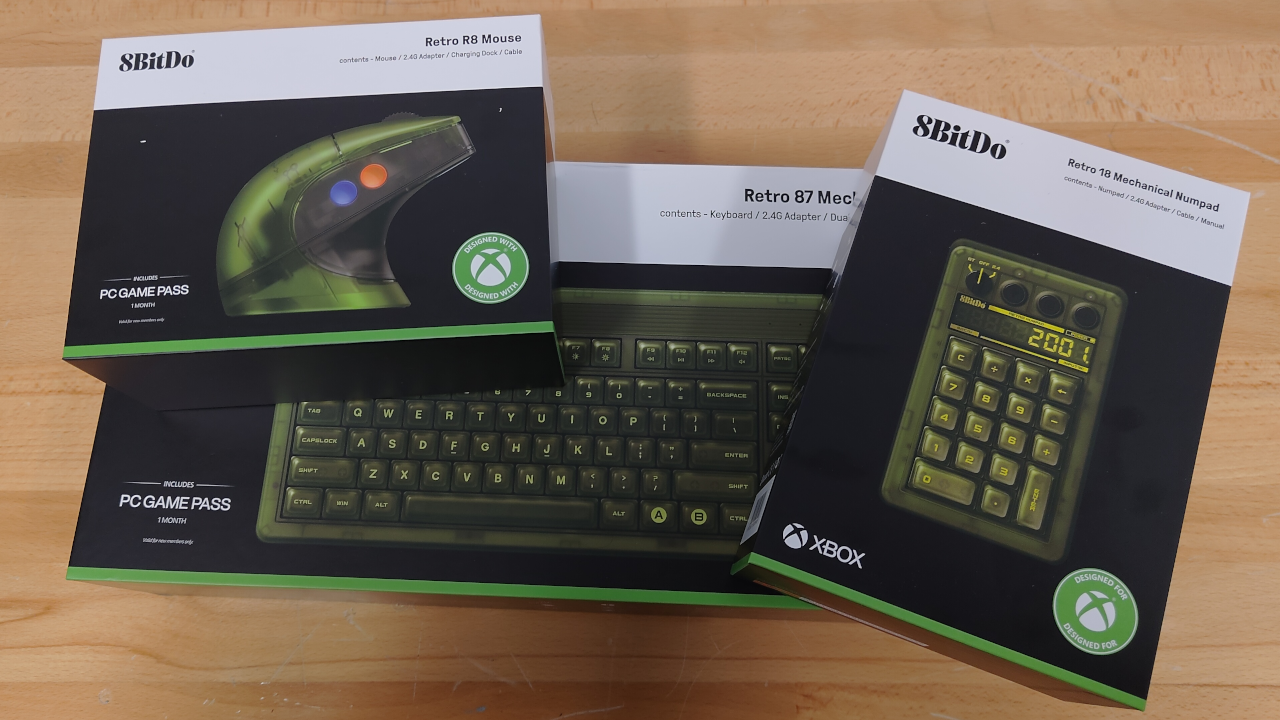
I don't even have any nostalgia for the original Xbox, but something about the translucent green of the Xbox edition of 8BitDo's retro mechanical keyboard spoke to me. The main issue was the lack of a number pad, since gamers hate those for some reason. I could have gotten an external one, but then it wouldn't have matched the keyboard. Once 8BitDo finally released a matching number pad, however, I decided to pull the trigger on the set. I don't really have much knowledge on keyboards, but I can at least unbox it and give my impressions.
The first hiccup I encountered was actually getting the keyboard. When I placed my order for the number pad back in April, it was listed as a pre-order, so I wasn't expecting anything to ship immediately. Come the end of July, however, I reached out to 8BitDo for a status update and discovered that it hadn't shipped due to an issue with their logistics partner. After another two weeks of patiently waiting, the set finally arrived.
The Keyboard
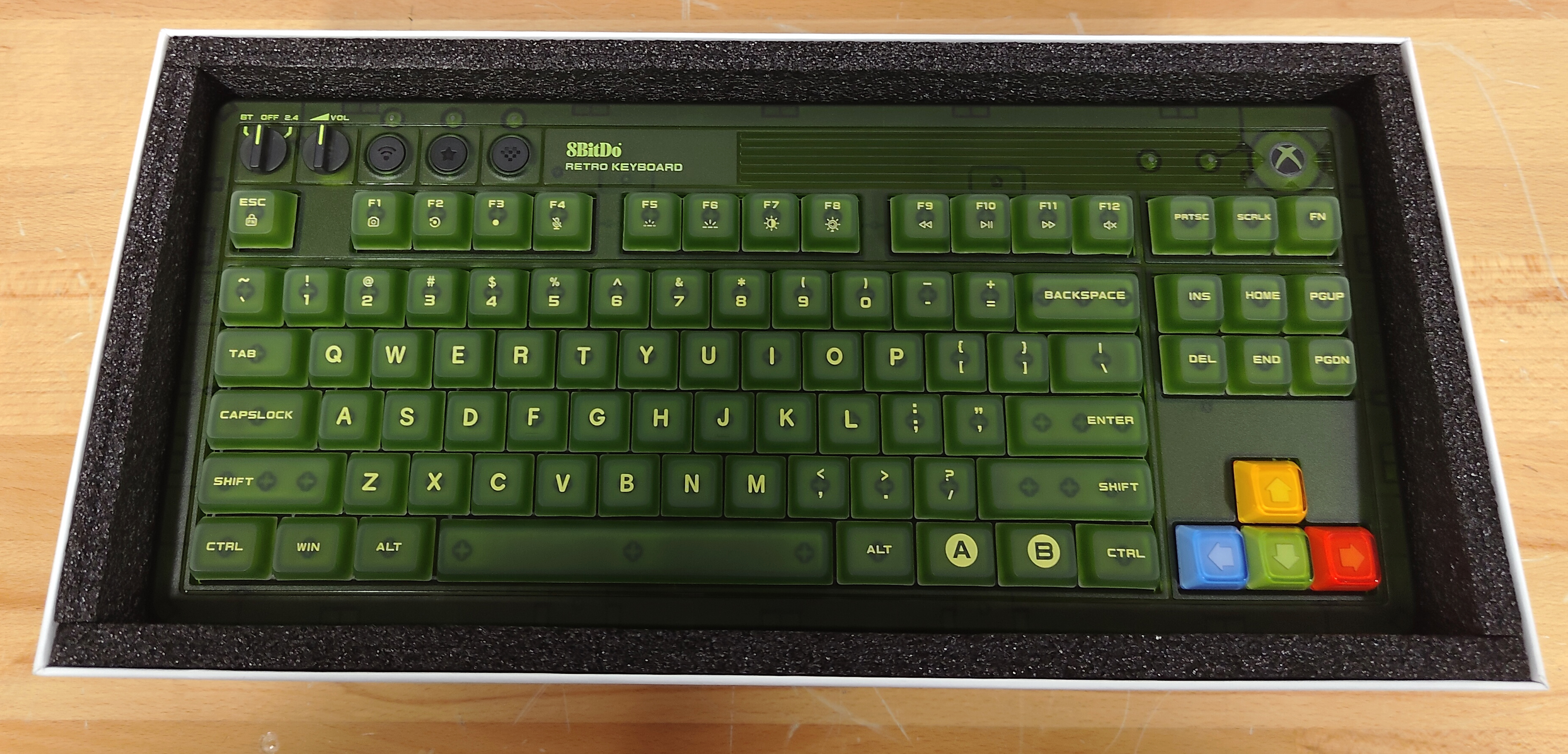
The keyboard is a tenkeyless measuring 377 x 170 x 47 mm and weighing 1100 g. It's powered by a 4000 mAh battery. Out of the box, it comes with Kailh Jellyfish X switches. These are clicky switches, and I planned to use this as a work keyboard, so I was a bit concerned about the noise. Fortunately, my coworkers actually like the sound, so that wasn't as much of a concern as I expected. I, personally, prefer the tactile feel of a clicky switch even over a normal tactile switch, so it feels good to type on for me, although I also prefer slightly heavier switches, and the Jellyfish switches are kind of light.
The keyboard features an RGB backlight, although the usefulness of the RGB is questionable when all the keycaps are green. I had to upgrade the firmware to enable customization of the backlight, but you can adjust the mode and brightness from within the 8BitDo software.
The keyboard also comes with what 8BitDo refers to as "Super Buttons". The module that comes with the keyboard gives you two buttons and is connected using one of the four 3.5 mm jacks along the top of the keyboard. You can even map actions to them without needing to install 8BitDo's configuration software, which is a nice touch.
In the box, along with the keyboard and the super buttons, is a USB-C-to-A cable, a 2.4 GHz wireless adapter, and two sticker sheets. Notably, the wireless receiver had some issues for me when I tried connecting it to a USB hub, so you'll want to have plenty of open USB ports for optimal performance. If that isn't feasible, you can also connect the keyboard via a wired connection or Bluetooth.
Notably, my USB-C cable came damaged. When connected to a computer, it would trigger a USB Power Surge warning from Windows, and when connected to my desktop power supply, it would provide 0 V of power to any connected devices. It's a minor thing, but I opened a support case with 8BitDo anyway just to see what their response would be. Response times have been slow, and at the time of writing there hasn't been a resolution.
The keyboard also came with a free month of Xbox Game Pass, which I wasn't able to use as a Game Pass subscriber. I posted it to my Mastodon as a giveaway. I don't get codes like these often, but that's where I post them when I do get them, so follow me there if you want a shot at grabbing one.
The Mouse
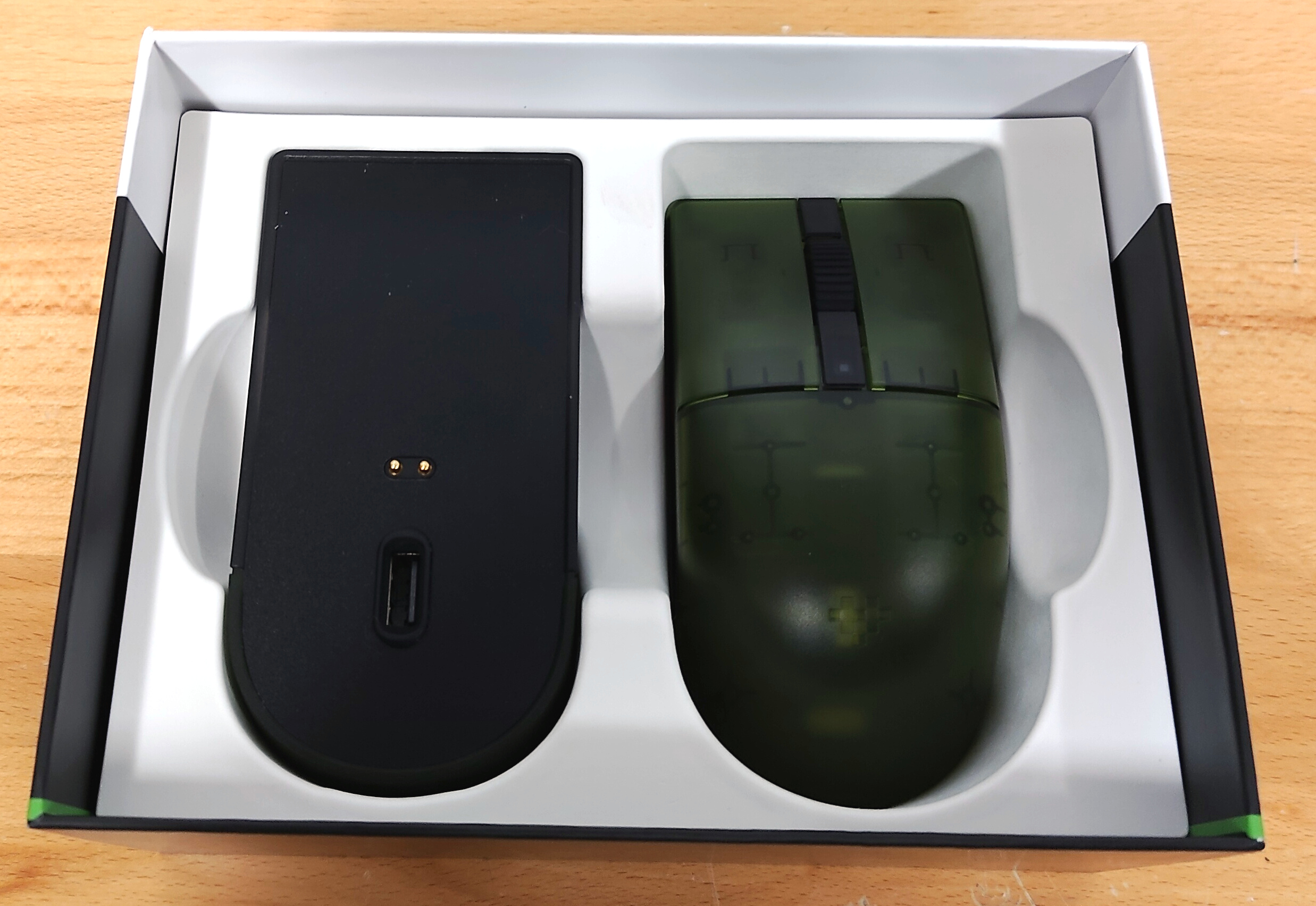
To have a matching set of peripherals, I decided to get the Xbox edition of the retro mouse as well. It measures 115 x 58 x 40 mm in size and weighs 77 g. It's powered by a 450 mAh battery. I have fairly average-sized hands, and the mouse runs a little on the small side. It's also very square, which makes it ambidextrous, but also means it's not necessarily the most ergonomic. I don't really have enough experience to speak to the weight, but it seems reasonable enough in my opinion.
The mouse features four side buttons, two on the left and two on the right. Initially I thought the buttons were a little small, which was concerning since I use them heavily as my copy/paste buttons, but in practice, they're easy enough to hit.
The sensor is a PAW3395, and you can configure 6 DPI settings in the 8BitDo software, which you can toggle between using a dedicated button below the scroll wheel. Additionally, you can adjust the polling rate up to 8000 Hz. For my purposes, I didn't have any issues with tracking or speed once I got my DPI dialed in the way I wanted it.
Also in the box are the USB-C-to-A cable, a 2.4 GHz adapter, and a charging dock. The mouse can be charged with either the dock or a USB-C cable. The dock also includes a USB port, meaning you can plug the dongle into the dock and the dock into your computer. Like the keyboard, the mouse connects with 2.4 GHz wireless, Bluetooth, and wired USB. It also comes with another Game Pass code.
The Number Pad
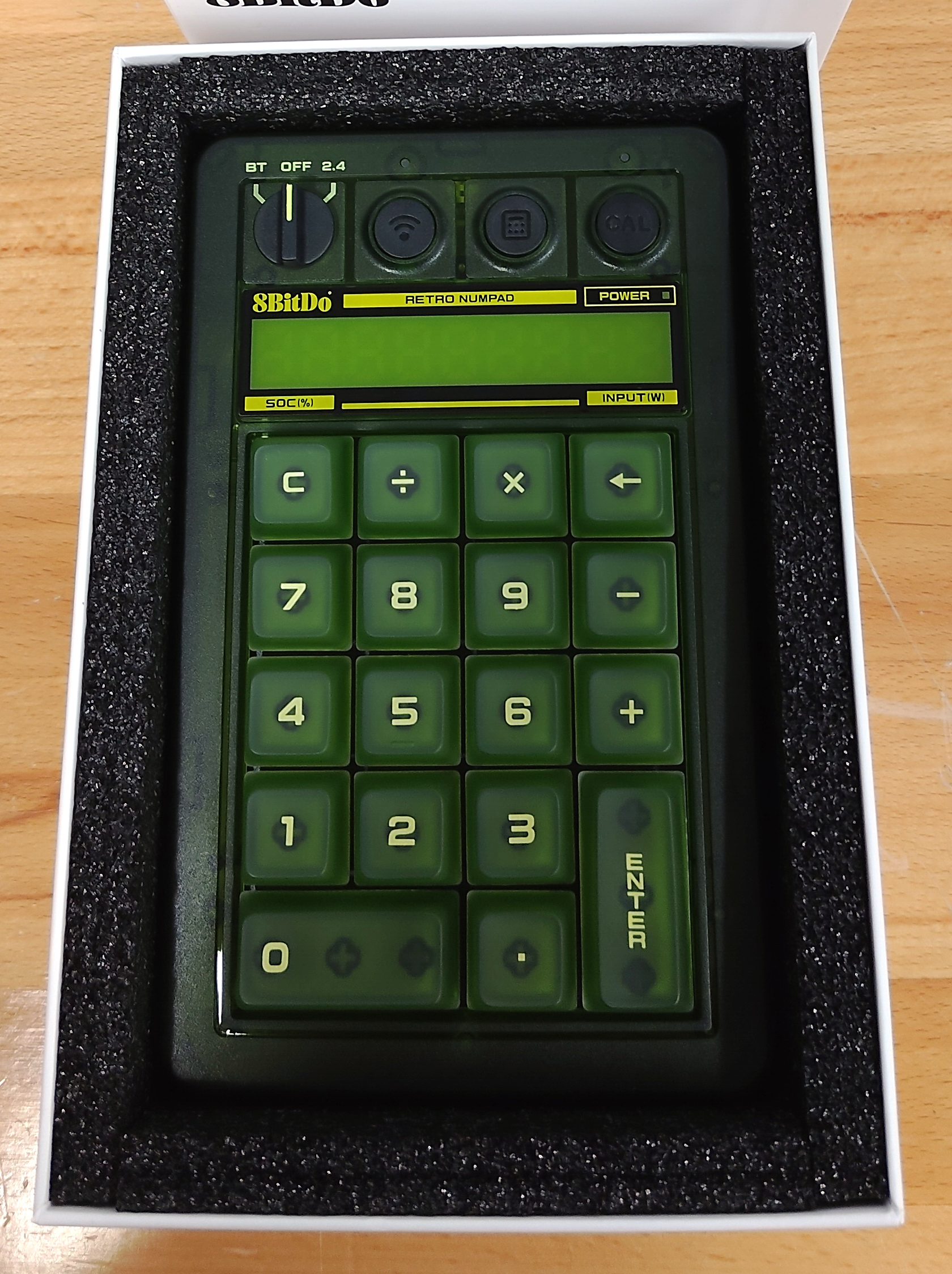
Lastly is the thing that made me finally pull the trigger on the purchase, the number pad. It measures 170 x 104 x 46 mm and weighs 300 g, powered by a 1000 mAh battery. In the box, along with the number pad, is the 2.4 GHz receiver and a USB-C-to-A cable. Like the keyboard, it comes equipped with Kailh Jellyfish X switches. Unlike the keyboard, it doesn't feature a backlight or any programmable keys.
One feature it does have is a calculator mode, allowing you to use the 9-digit 7-segment display as a standard desktop calculator. Given that you also have a dedicated button to open the Windows calculator on your computer, the utility is questionable, but if you have a use case for it, it's there for you.
The display also turns on when you first power the number pad on and when you first connect it to a charger to tell you the current state of charge (i.e., battery capacity) and input voltage. This turns off after a few seconds with no way to turn it on again without reconnecting the power or powering it off and on again, so the utility is once again limited.
Like the other two peripherals, the number pad can be connected via the 2.4 GHz dongle, Bluetooth, or USB.
Conclusion
Unfortunately, shortly after I got my keyboard, I discovered that 8BitDo had announced a blue N64 version of the retro keyboard, which looks really cool. Still, they haven't announced a mouse or number pad yet, so I wouldn't have had a matching set for quite a while, and the retro green look is also neat, so I'm not unhappy with my purchase. The software is honestly the weakest part of the experience; 8BitDo's software is a bit annoying to navigate and work with, but I otherwise don't have many real complaints.