Jacen's Rants
IT Pro Tip - Follow The Thread
January 6, 2026

Tech support takes a lot of critical thinking. The user usually doesn't know how to properly articulate what the issue is, so you have to read between the lines and fill in the gaps. You'll have plenty of logs and other data to potentially comb through, so you need to be able to quickly pick up on relevant information. And, once you have a starting point, you need to be able to follow the thread all the way to its conclusion. While a lot of these thought processes seem obvious to me, I'm learning that they aren't necessarily obvious to everyone. With that in mind, here's a very basic real-world case study of what goes through my mind when I'm troubleshooting something.
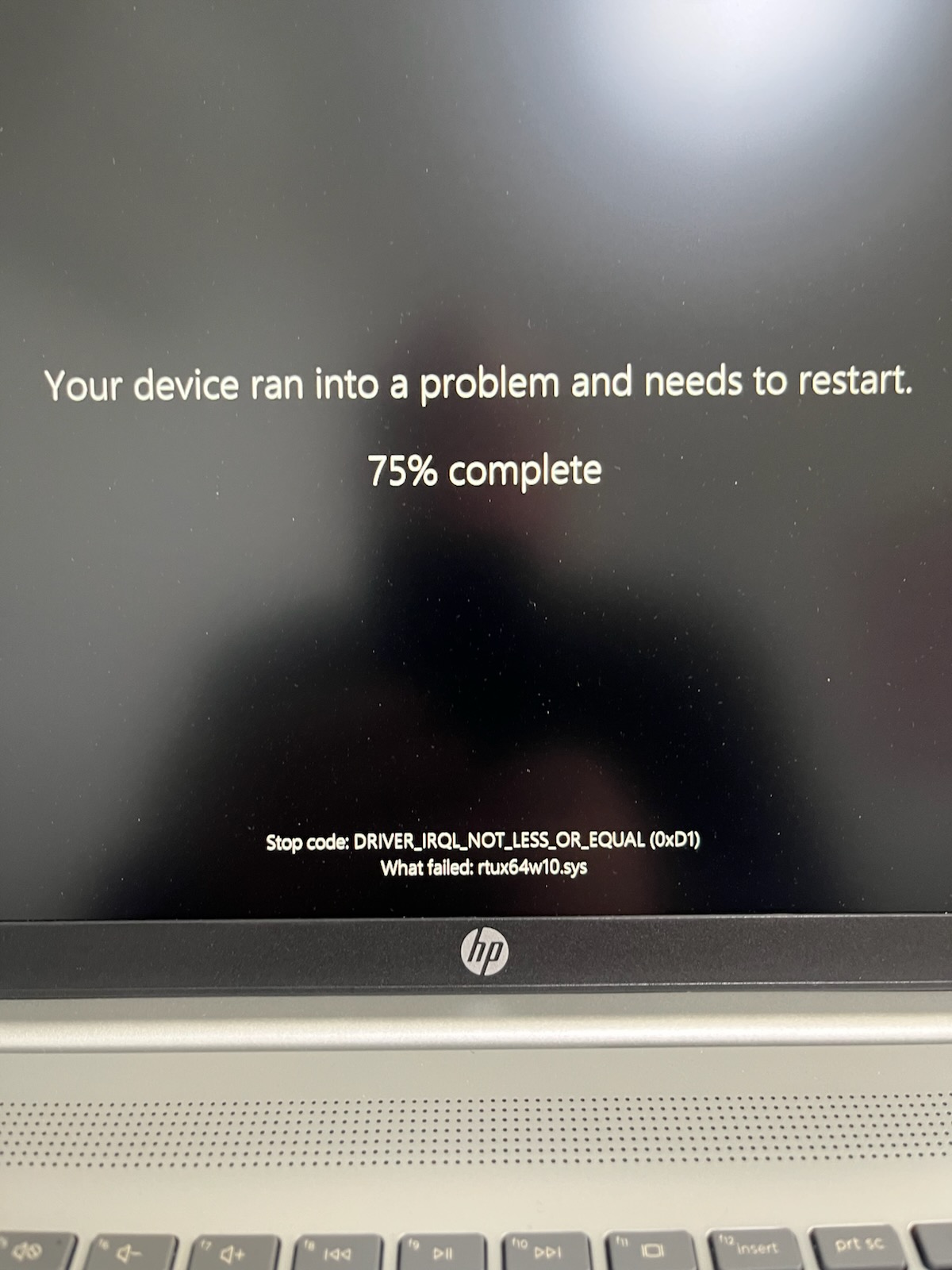
A client called in about an issue with his computer shutting down abruptly. He described it as a black screen with the text "something went wrong". I'll never troubleshoot any issues related to error messages without a picture of the error message in question. Fortunately, the client had the presence of mind to take a picture of the screen before calling in.
While waiting for that picture, I decided to do a little preemptive poking around. I remembered that Microsoft recently changed the BSoD from blue to black. Combined with the computer shutting down, it certainly sounded like a BSoD situation, so I decided to check for dump files. If you weren't aware, whenever Windows crashes, it creates a dump file containing a snapshot of running processes and any information Windows can log about the error that caused the crash. In most systems, these files are saved in C:\Windows\Minidump. These can be copied to another computer for deeper analysis.
Once you have the dump file, you'll need a program capable of reading it. My preferred choice is NirSoft's BlueScreenView, which parses the data from the dump file into an easy-to-understand format and flags important details for you to look at. It can even generate a Windows XP-style BSoD screen to show you what it may have looked like, although we won't need that ourselves.

In this case, BlueScreenView flags ntoskrnl.exe, the executable for the Windows kernel. The kernel primarily acts as the bridge between hardware and applications, handling memory management, scheduling processes, providing a standardized interface to hardware devices, and plenty of other tasks. It's not uncommon to see ntoskrnl.exe in red when looking at a dump in BlueScreenView, but it's usually not actually the cause of the BSoD.
The second flagged item is rtux64w10.sys. You'll note that this driver is also flagged in the "Caused By Driver" column. It seems more likely that this is the culprit. The picture of the BSoD also specifically calls out rtux64w10.sys.
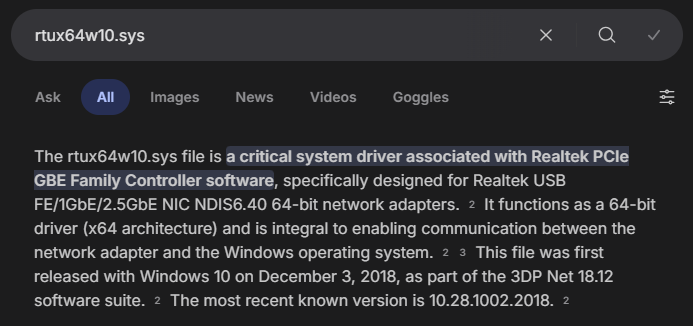
Now that we have a suspect, I want to do a little more research to determine how likely it is that rtux64w10.sys is actually the guilty party. To start, I just search the filename to see what comes up. The summary claims that the driver is for a Realtek USB NIC.
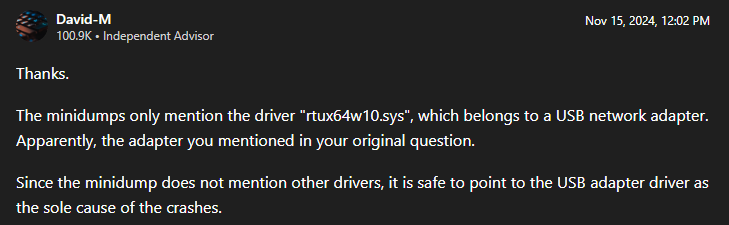
I don't really trust AI search summaries, so I'll dig a bit deeper to see if anyone else can back up this claim. A post on one of Microsoft's forums seems to confirm what we saw.
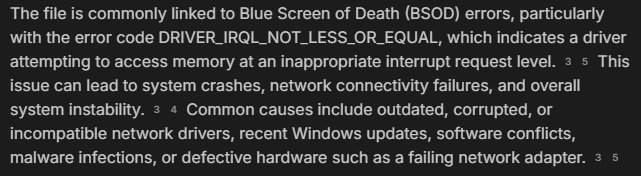
The summary also mentions the specific stop code that we can see in BlueScreenView. Evidence is mounting in favor of Realtek being our culprit.
Another post, this time in HP's support forums, mentions a USB-C dock. If we're dealing with a USB NIC, it would make sense for it to be attached to a dock.
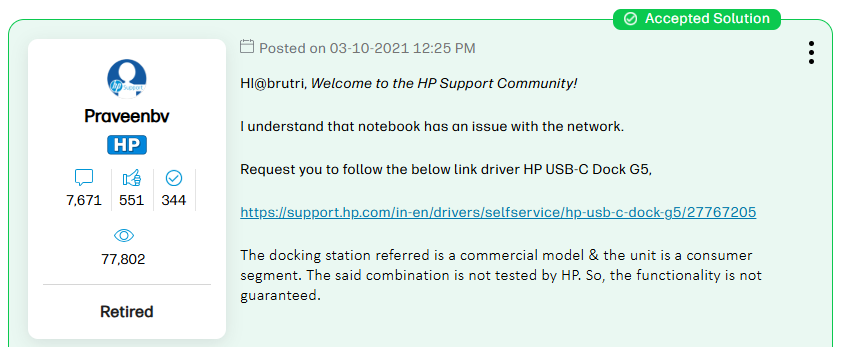
I asked the client if the laptop was attached to the docking station, but they said it wasn't. They did, however, list the handful of devices that were connected, including a USB-C NIC, which seemed like as good a trail to follow as any. To my surprise, they were even able to find the model number of the NIC without any help from me: an Anker A8341. Next is to see if I can find any information about the NIC in relation to the rtux64w10.sys driver.
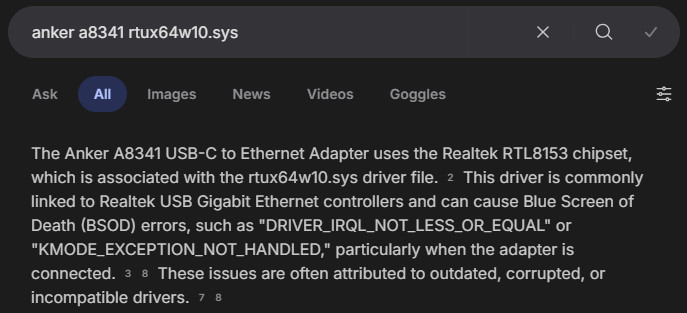
Confirming that Anker actually uses a Realtek chipset was a bit more difficult, but I found at least one source confirming that the A8341 uses an RTL8153 chipset.
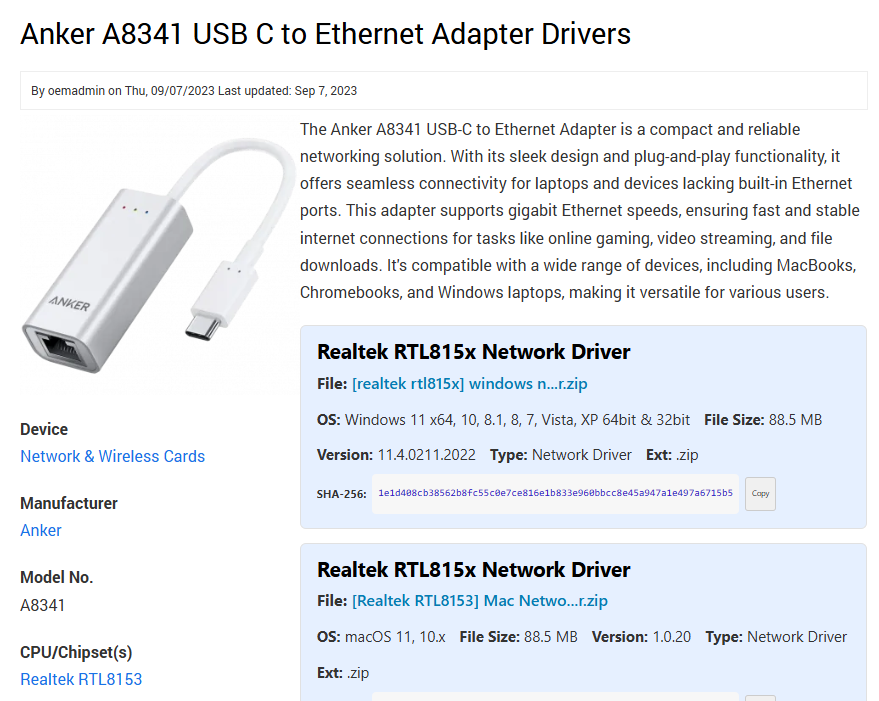
It seems likely that our Anker NIC is causing our crashes, whether it's due to a hardware failure or a software issue. Software is easier to test, so I decided to start there. Usually these kinds of USB NICs are plug-and-play, so I wasn't really expecting a purpose-built driver, but Anker does actually have drivers for it on their website.
At the time of writing, after installing the driver, the user didn't report any further issues with their device. If they did, however, the next step would be testing a different USB NIC or maybe just using WiFi to see if removing that from the equation fixes things. At that point, I'd probably lean toward the issue being hardware rather than software.
This was a pretty basic case study with a pretty clear conclusion. Regardless, I hope a brief look at my thought process was helpful in teaching you how to follow a thread.