Jacen's Blog
The Premium Dual-Screen Option - AYN Thor Review
April 18, 2026
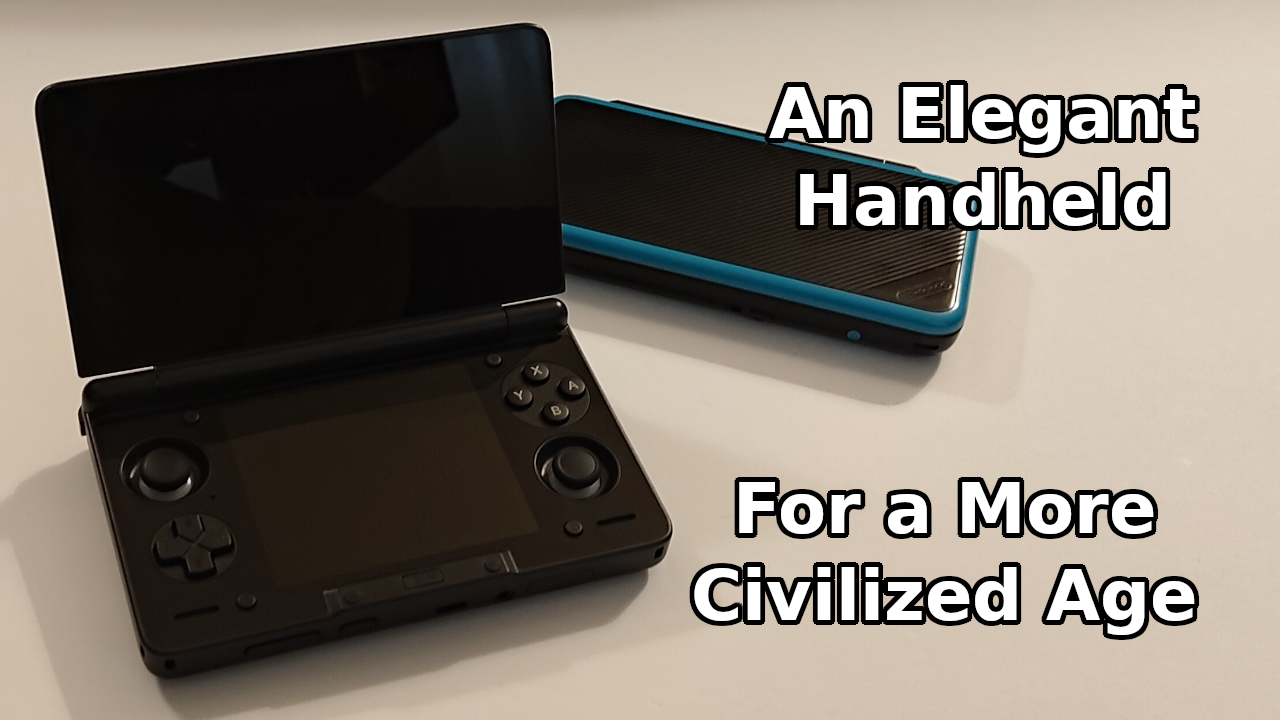
In my review of the Anbernic RG DS, I mentioned the AYN Thor, a handheld that starts at nearly triple the price of the RG DS. With the compromises that Anbernic had to make to hit the sub-$100 price point, surely there's an advantage to the more expensive option, right? What exactly are you getting for the additional money? I decided it was worth giving the Thor a test drive to find out.
The Hardware
The Thor has several SKUs to choose from: the Lite, Base, Pro, and Max. The Lite is powered by a Snapdragon 865 SoC, while the others use a Snapdragon 8 Gen 2. This gives the Lite a slightly slower clock speed on the CPU and GPU, LPDDR4x memory rather than LPDDR5x, slower internal storage, and Wi-Fi 6 instead of Wi-Fi 7. I ended up choosing the Base model, with 8 GB of RAM and 128 GB of built-in storage.
The unboxing experience was relatively lackluster, although AYN did spend some extra money on a nice box with a magnetic latch. Inside was the Thor itself and a USB-C-to-C cable. With how much I complain about C-to-A cables, it's nice to see someone finally include a C-to-C cable instead.
One notable absence from the Thor is a stylus. That might seem like an insane thing to expect AYN to include, and I wouldn't mention it at all if I hadn't already reviewed the RG DS, which does include a stylus. Capacitive styluses are extremely inexpensive, so if Anbernic can afford to throw one in, AYN certainly could as well.
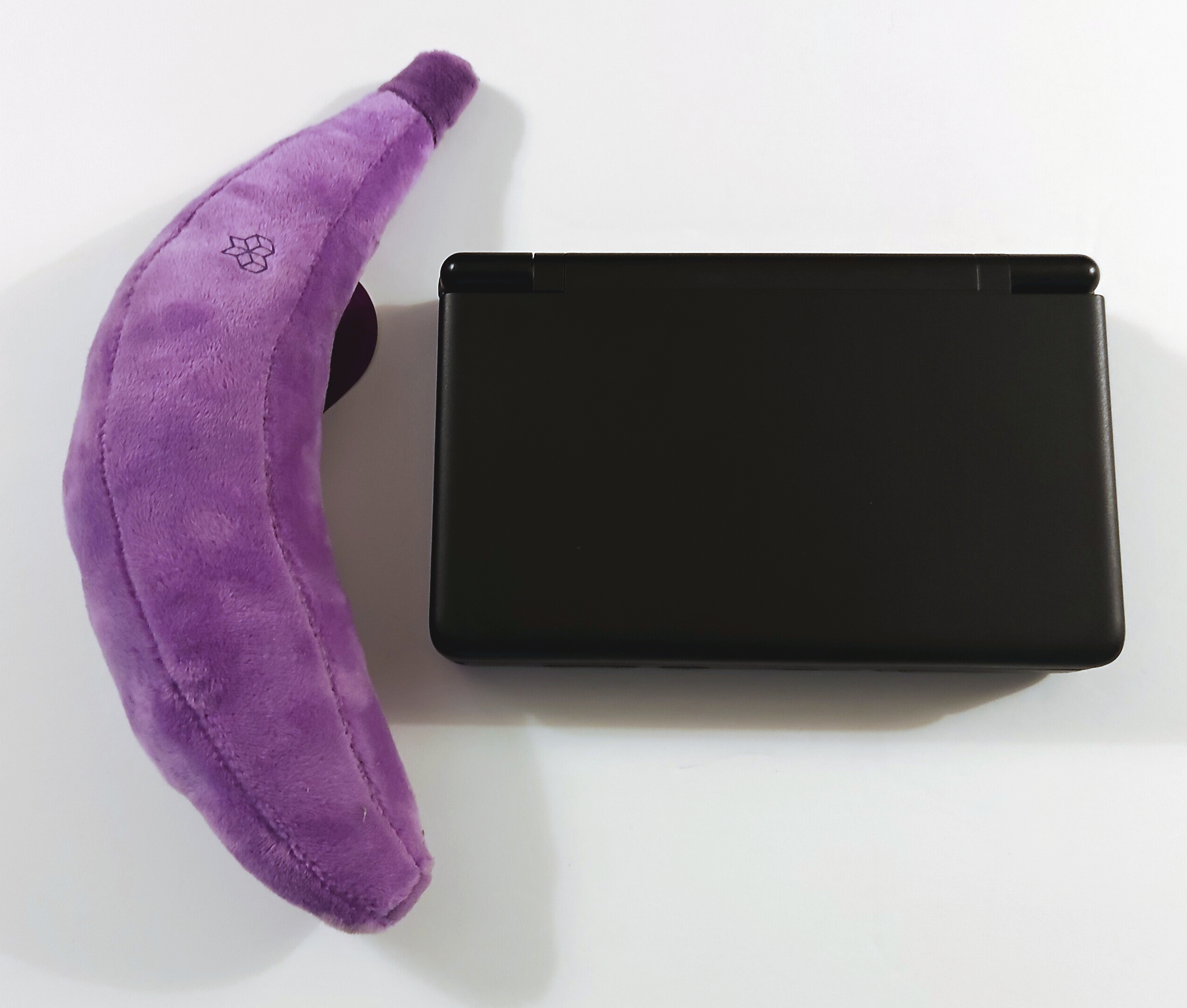
The Thor is 150x94x26 mm in size and weighs in at 380 grams. It's heavier and larger than my daily carry 2DS XL, but it's still pretty easy to carry around and well within the realm of pocket-sized.
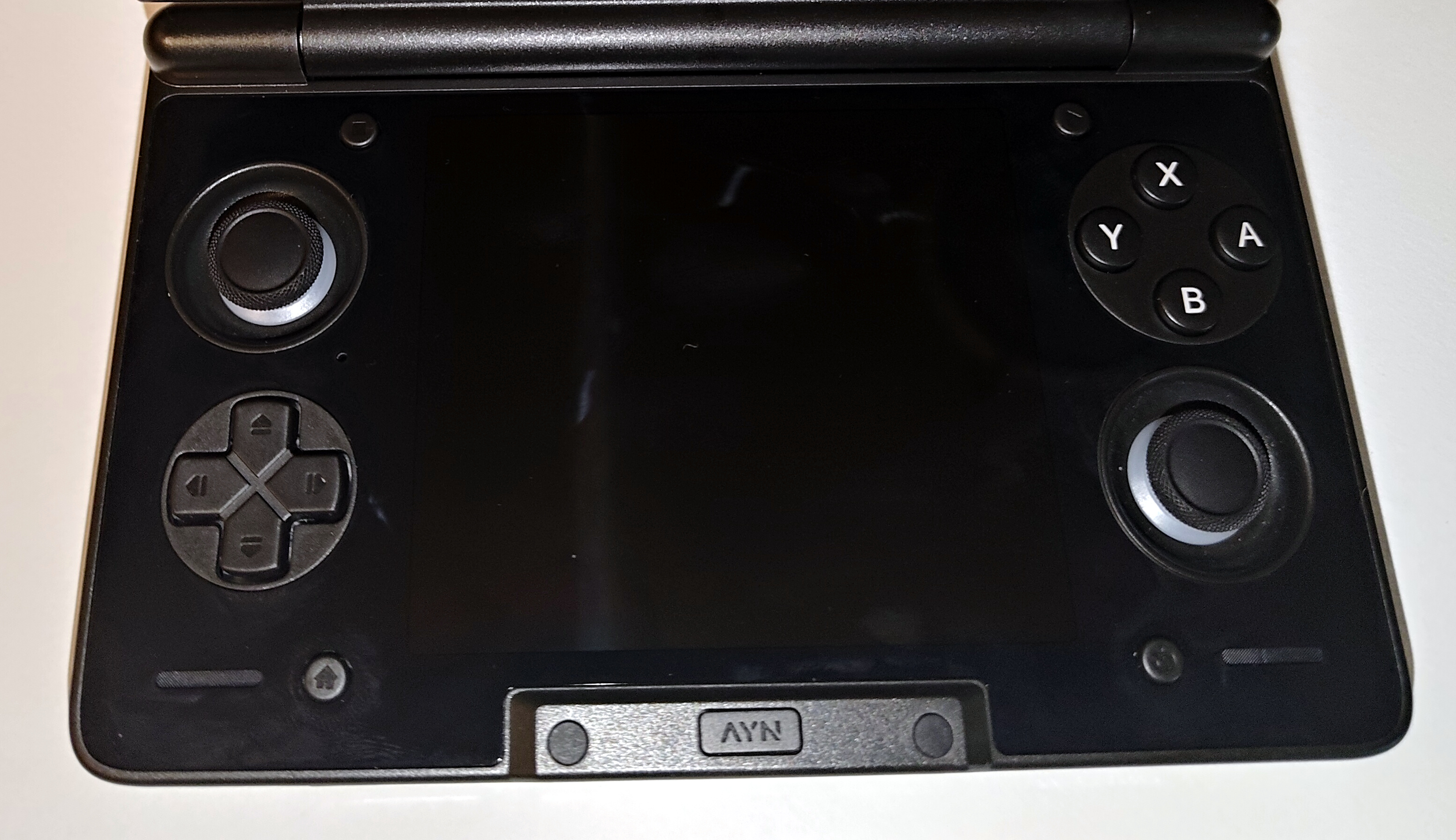
The stars of the show are the dual OLED screens, 6" for the top and 4" for the bottom. The top screen has a resolution of 1080x1920, while the bottom is 1080x1240. While the top screen runs at 120 Hz, the bottom screen is only clocked to 60 Hz. I did notice some mild tearing on the bottom screen, specifically when scrolling text on a web page. The screens both look sharp and vibrant, but it would have been nice to clock them both to the same refresh rate.
The screens are supported by a detent-style hinge featuring three stop points. The hinge itself is extremely lightweight if that's your preference. There's very little slop in the hinge when it's locked into the detents, so you shouldn't have any issues with the top screen rattling around.
The face buttons are set up in the Nintendo layout, with A on the right and B on the bottom, although this is customizable in software. The buttons use rubber dome switches, meaning they have quite a long travel distance. The domes are also fairly stiff, creating a heavier switch. Personally, I would have liked a slightly shorter travel and a more tactile switch, but buttons are purely subjective, so your mileage may vary.
The D-pad uses much shorter tactile switches, which is perfectly acceptable for a D-pad. The dual analog sticks are recessed into the Thor's bottom housing. The caps are slightly convex and a bit slippery, but they have a little lip around the edges for your thumb to catch on, and the edges are textured to help you hook your thumb around the outside of the stick. Interestingly, the sticks have RGB LEDs built-in to give you a bit of extra customization. Entirely unnecessary, but definitely aesthetic.
The start and select buttons are placed above the bottom screen, which seems like a bit of an odd place. At the bottom, where I would have expected them, are dedicated back and home buttons, which are nice to have rather than relying on virtual buttons or gestures. The Thor also features two sets of shoulder buttons. L1 and R1 are a bit wobbly, particularly when pressed, but they don't rattle around, so it doesn't seem like that much of an issue. The L2 and R2 don't have a ton of travel, but they get the job done as long as you aren't expecting to play any high-precision racing games.
For I/O, the Thor features a USB-C port for power and data, a 3.5 mm headphone jack, and a microSD card slot. The USB-C does support DisplayPort Alt Mode, outputting at 4K 60 FPS (or 1080p 60 on the Lite), so you can hook it up to an external display if you want to. I would have preferred the USB-C on the top rather than the bottom, since it kind of gets in the way if you want to charge and play at the same time in bed.
If you're not interested in using headphones, the Thor has two front-firing speakers built into the bottom deck. They're not going to be winning any awards, but they'll certainly get the job done.
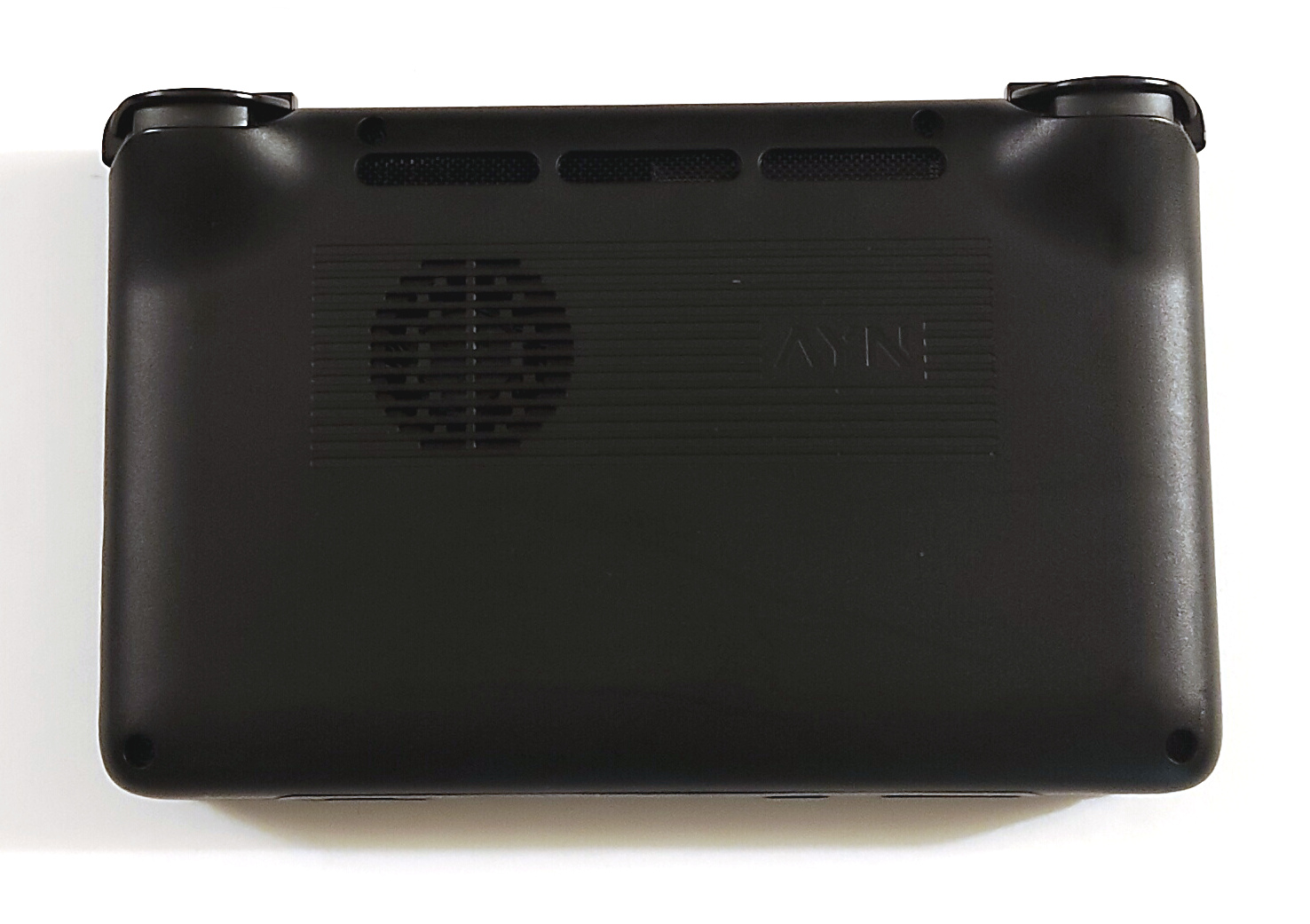
The internals are accessible by removing four Philips screws. There isn't really much of a seam for you to slip a pry tool into, and it took more force to get the cover to unlatch than I would have liked. Once inside, you can see the user-replaceable components, including the 6000 mAh battery and what I would estimate to be a 30 mm cooling fan. The battery is glued in, and while AYN did include a protective film to help give more leverage for removing it, it still takes a lot of force to get the battery out.
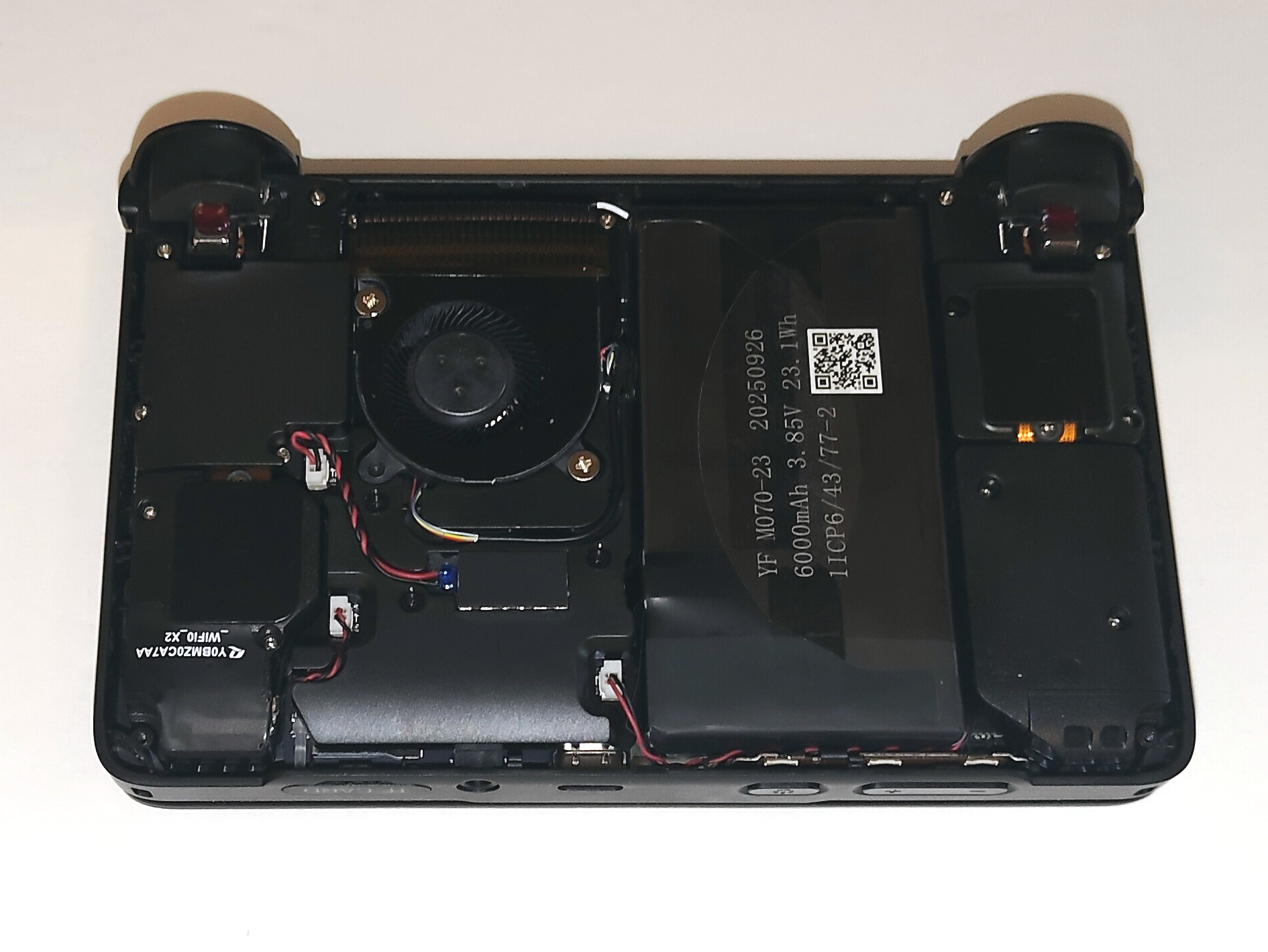
I do also have some concerns about the cooling solution. The intake and exhaust are very close together. While the exhaust is slightly angled away from the intake holes, I still think there's a possibility of the fan recirculating some of the hot exhaust air. I'm not sure why they couldn't have moved the exhaust vent a bit further back, especially if they weren't going to put a USB-C port there.
The Software
The Thor is powered by Android 13. It would be nice if it had a more modern Android build, but AYN was still releasing software updates at the time of writing, so hopefully they're managing to stay on top of security updates. Notably, the Thor doesn't come with any emulators, so you'll have to handle installing and configuring those yourself, which takes a bit of research to get right. If you're looking for something you can pick up and play out of the box, you might be better off looking at the offerings from places like Anbernic or MagicX. The Thor is Google Play certified, so you shouldn't have any issues running a full complement of Android apps.
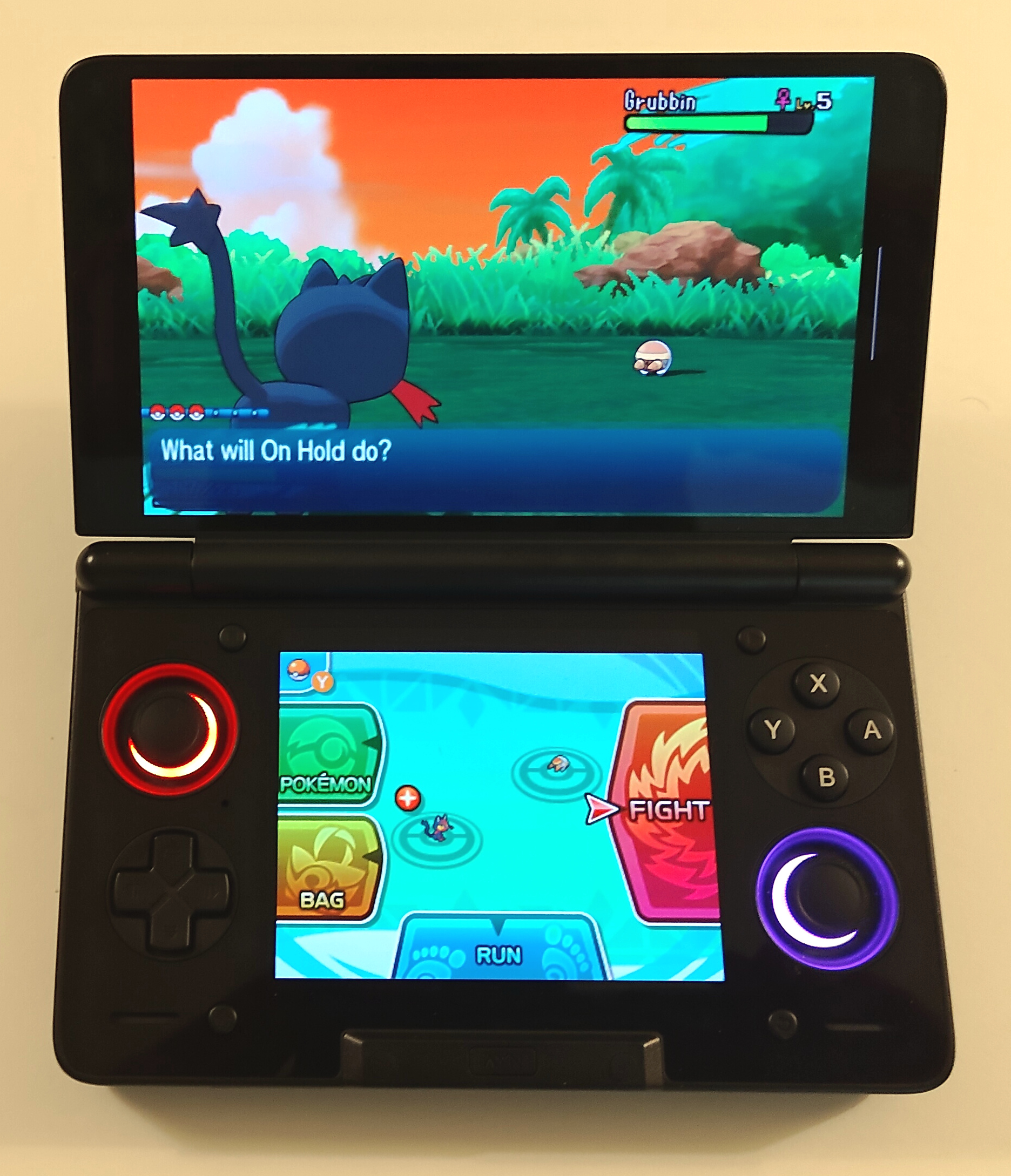
Unsurprisingly, the Thor handles emulation as well as you would expect for a high-end Android device. DS and 3DS emulation are the obvious use cases for a dual-screen device, and it passes those tests with flying colors. The community-supported melonDS build on the Google Play Store doesn't support external screens, but SapphireRhodonite's fork works flawlessly. For the 3DS, Azahar works great apart from some minor texture issues. Wii U emulation was quite playable as well, although with some stuttering during shader compilation. You'll also need to use SapphireRhodonie's Cemu fork if you want to have the gamepad on the bottom screen.
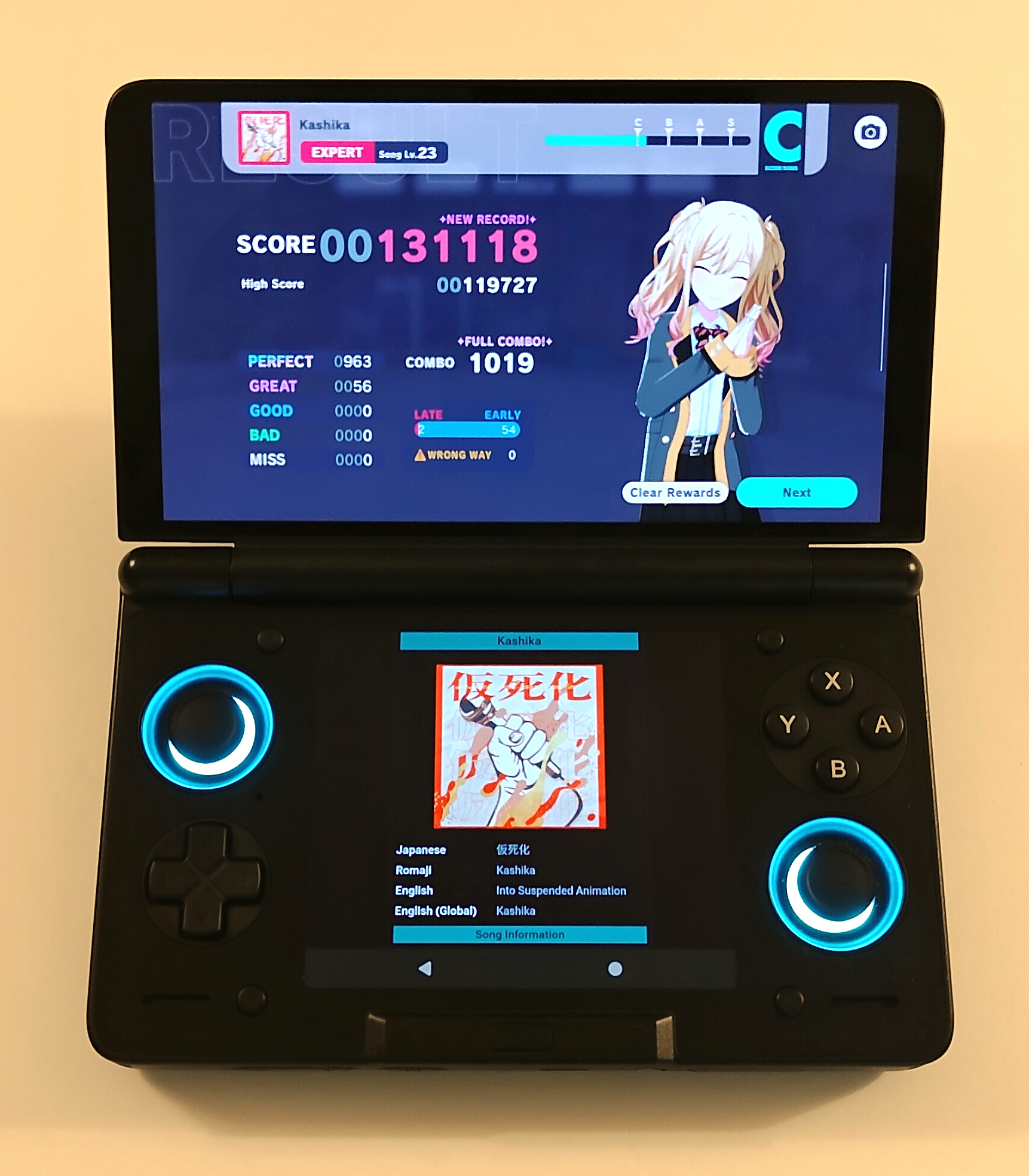
As for emulating other consoles, you will run into the issue of what to do with the inactive screen. You could use it to have notes or a walkthrough up as you play, but odds are it still won't be doing much. Fortunately, you can turn off the inactive display to help keep that OLED screen alive.
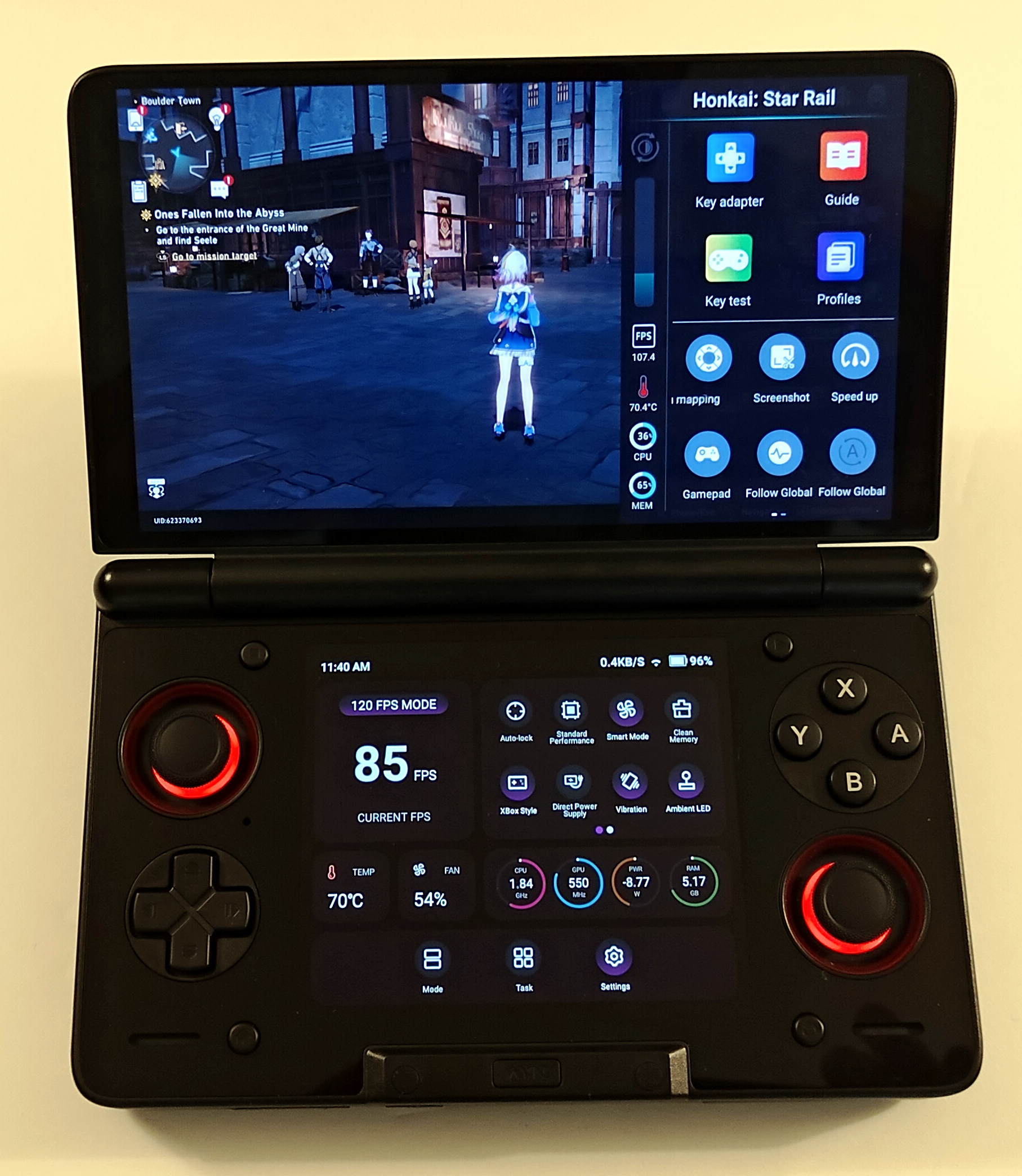
As for native Android gaming, I ran the Thor through my standard suite of casual mobile games. Blue Archive ran well at max settings. Project Sekai also ran well, with the screen being quite responsive. Honkai: Star Rail runs at the Very High preset with only minor stutters, although you'll have to make sure to set the controller mode to Xbox mode if you want HSR to detect it. Unfortunately, I wasn't able to reliably run two games at the same time; the game on the inactive screen has a tendency to just crash. This isn't a particularly practical use case anyway, but it would have been fun if I had gotten it to work.
In the firmware, the Thor has two different performance overlays: one on the top and one on the bottom. In particular, the top screen includes an option to start a screen recording. Unfortunately, the recording only runs for a maximum of 10 seconds and only records the top screen, making it a pretty useless feature overall.
Conclusion
Overall, you can't really argue with the performance of the Thor. It takes some work to get things dialed in, but once it's ready, it runs just about any emulator you can throw at it and shows impressive performance in casual Android games as well. The only potential dealbreaker is the price, starting around the $300 price point. If money isn't an issue for you, I don't think you'll be disappointed.